
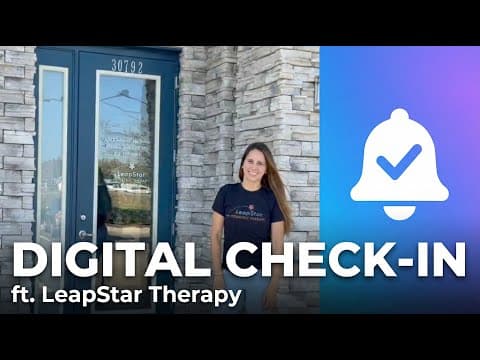
Watch the case study on YouTube (about a minute).
The practice
LeapStar Pediatric Therapy works with children, which means every arrival is a parent, a child, and often a sibling or two. The clinic operates in a shared commercial space alongside other businesses, so the front door is not theirs alone, and there is no receptionist to sort out who is there for whom.
The challenge: a doorbell that everyone rang
The first fix was the obvious one: a physical doorbell. It backfired.
“I got a doorbell, but that became very tedious. Other clients from other businesses were ringing my doorbell. It got really annoying.”
- Other businesses' clients kept ringing the bell
- Constant interruptions during therapy sessions
- No way to know which client was there for which therapist
A doorbell is not addressed to anyone. It interrupts every therapist in the suite, it cannot say which family has arrived, and in a shared building it gets pressed by people who were never looking for you.
The solution: an iPad that tells one person
LeapStar set up TapIn on an iPad at their entrance. The chaotic doorbell became a calm, silent workflow:
- Client taps Check-In on the iPad
- Selects their therapist
- Types only their initials
- The right therapist is notified instantly
Because families type only their initials, nothing identifying is left on a screen in a shared lobby. And because the notification goes to one therapist's phone, the other clinicians never know it happened.
The result
- Targeted notifications go to the specific therapist only
- Silent alerts, so sessions are no longer interrupted
- An interface intuitive enough that nobody needs instructions
“I get instantly notified on my phone. Simple as that!”
LeapStar Pediatric Therapy
What this looks like for your practice
LeapStar's situation, a shared space and no front desk, is the common case for small therapy practices, not the exception. If you have tried a doorbell, a sign-in sheet, or “text me when you are here,” the guide to running a practice without a front desk compares those options honestly, and the iPad check-in kiosk page shows exactly what patients see. Pediatric clinics in particular have their own page on pediatric therapy check-in.
Keep reading
- Pediatric therapy patient check-inBusy lobbies, siblings, and shared spaces: how check-in works in a pediatric clinic.
- How to set up an iPad check-in kioskStep-by-step guide to turning a spare iPad into a patient check-in kiosk: Guided Access, mounting, Wi-Fi, the TapIn kiosk app, and pairing with a QR code. About 10 minutes.
- Running a practice without a front deskHow solo and small group therapy practices handle arrivals, waiting rooms, and interruptions without a receptionist. Practical options, what each costs, and where an iPad check-in kiosk fits.
Retire the doorbell
Set up an iPad check-in kiosk in about ten minutes. 14-day free trial, no credit card.